Confused about which HDMI version you need for your new 8K TV, PS5/Xbox Series X, or streaming stick? Choosing the wrong cable or port can mean missing out on stunning 8K visuals, buttery-smooth 4K@120 gaming, or immersive HDR audio.
This guide breaks down the key differences between
HDMI 2.1,
2.0, and
1.4, so you can pick the perfect fit for your setup—no overspending on features you don’t need.
| Feature | HDMI 2.1 | HDMI 2.0 | HDMI 1.4 |
|---|
| Max Bandwidth | 48 Gbps | 18 Gbps | 10.2 Gbps |
| Resolution/Refresh | 8K@60Hz, 4K@120Hz, 1440p@240Hz | 4K@60Hz, 1080p@120Hz | 4K@30Hz, 1080p@60Hz |
| HDR Support | Dolby Vision IQ, HDR10+, HLG | HDR10, Limited Dolby Vision | No HDR support |
| Gaming Features | VRR, ALLM, QFT, QMS | No dedicated gaming tools | Legacy 3D support |
| Audio Features | eARC (Lossless Dolby Atmos/DTS:X) | ARC (192kHz/24-bit audio) | Basic CEC audio pass-through |
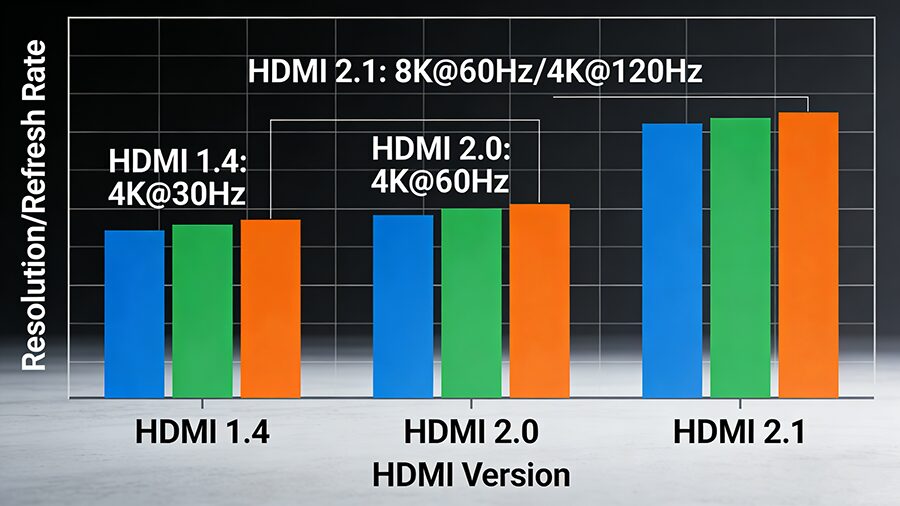
Bandwidth dictates how much audio/visual data can be transferred without compression.
- HDMI 2.1: Its 48Gbps ultra-high bandwidth unlocks uncompressed 8K and 4K@120 signals—critical for new consoles and 8K TVs.
- HDMI 2.0: Handles 4K@60 content perfectly for most streaming and mid-range gaming, but can’t keep up with next-gen console demands.
- HDMI 1.4: Only supports compressed 4K@30, making it suitable only for legacy 1080p setups.
For serious gamers, HDMI 2.1 is non-negotiable:
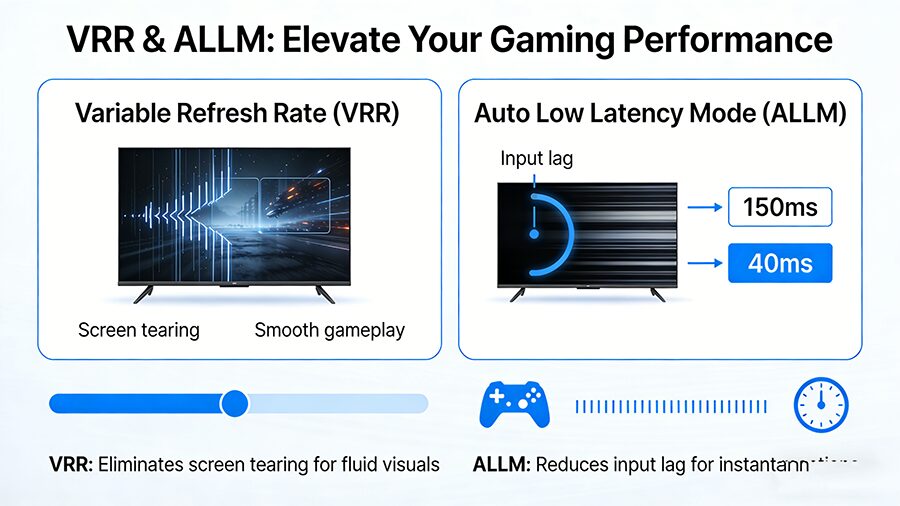
- VRR (Variable Refresh Rate): Eliminates screen tearing and stuttering.
- ALLM (Auto Low Latency Mode): Automatically switches your TV to low-latency mode for responsive gaming.
- eARC: Sends lossless Dolby Atmos/DTS:X audio to your soundbar.
HDMI 2.0 and 1.4 lack these features, making them poor choices for PS5/Xbox Series X owners.
HDR elevates color contrast and brightness—here’s how versions stack up:
- HDMI 2.1: Supports advanced formats like Dolby Vision IQ (which adjusts HDR to room lighting) and dynamic metadata for precise color grading.
- HDMI 2.0: Works with basic HDR10, but lacks dynamic metadata support.
- HDMI 1.4: No HDR support at all—you’ll miss out on vibrant, lifelike visuals.
Go HDMI 2.1. Look for cables labeled Ultra High Speed HDMI (the official HDMI 2.1 certification). Ensure your TV/console has HDMI 2.1 ports too—cables alone won’t unlock features.
HDMI 2.0 is your sweet spot. It handles all 4K streaming content (Netflix, Disney+) and works with PS4 Pro/Xbox One X. No need to overspend on 2.1.
Stick with HDMI 1.4. If you have a 1080p TV, old Blu-ray player, or legacy 3D system, HDMI 1.4 will work perfectly. Upgrade only if you replace your gear.
HDMI 2.1 is the future, but it’s not for everyone. HDMI 2.0 covers 90% of modern home entertainment needs, while HDMI 1.4 remains useful for older setups.
Before buying, ask: Do I need 4K@120 gaming or 8K visuals? If yes, go 2.1. For 4K streaming, 2.0 is enough. For old gear, 1.4 works. Now you’re ready to pick the right HDMI version without guesswork!


评论
发表评论